
First Impressions
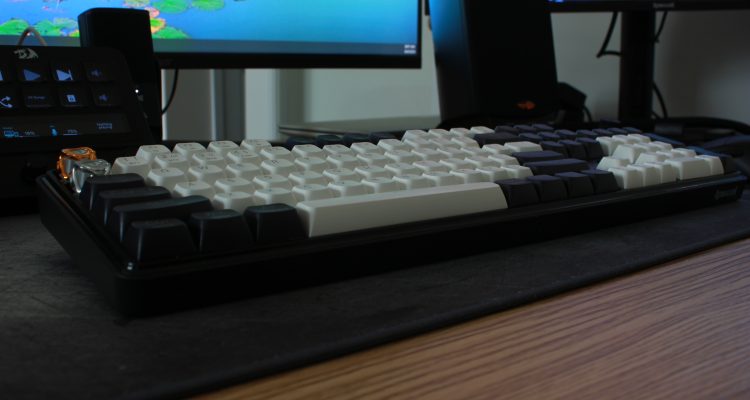
One of the biggest reasons I enjoyed it is because it’s a full-size keyboard. I know compact layouts are incredibly popular right now, but I still like having a dedicated number pad and every key available without relying on function layers. That’s obviously a personal preference, but it’s something I appreciated every time I sat down to use it.
The keyboard has a nice amount of weight, stays planted on the desk, and the keycaps feel great under your fingers. Typing is smooth, comfortable, and consistent whether you’re writing documents or playing games.
After spending several days using the Redragon Wyvern K761 LCD Pro, I came away with a positive impression. It’s a solid mechanical keyboard that feels good to type on, performed well while gaming, and never gave me a reason to second guess using it as my daily keyboard.
Interested in the Redragon WYVERN K761 PRO?
Save 10% when you purchase directly from Redragon.
Affiliate link — I may earn a commission from qualifying purchases at no additional cost to you.
Daily Use
Specifications only tell part of the story. What matters most is how a keyboard feels after you’ve actually lived with it for a while.
The Wyvern quickly became comfortable to use. The switches have a smooth linear feel, the stabilizers never distracted me, and I never experienced missed key presses or anything that made me think about the keyboard while I was using it. That’s probably one of the best compliments I can give.
The overall build quality is good. The keyboard feels sturdy and well put together, although if I intentionally press down on the top case I can get a little flex in a few spots. It wasn’t something I noticed during normal use, but it is there.
Overall, it feels like a quality keyboard that was built to be used rather than simply displayed on a desk.
LCD Display
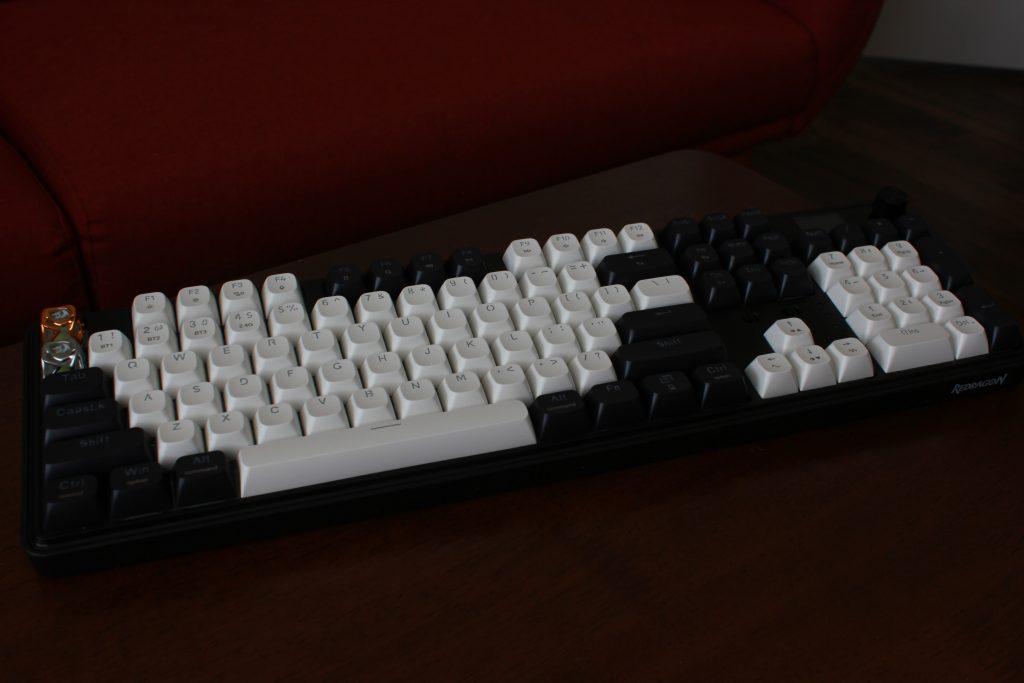
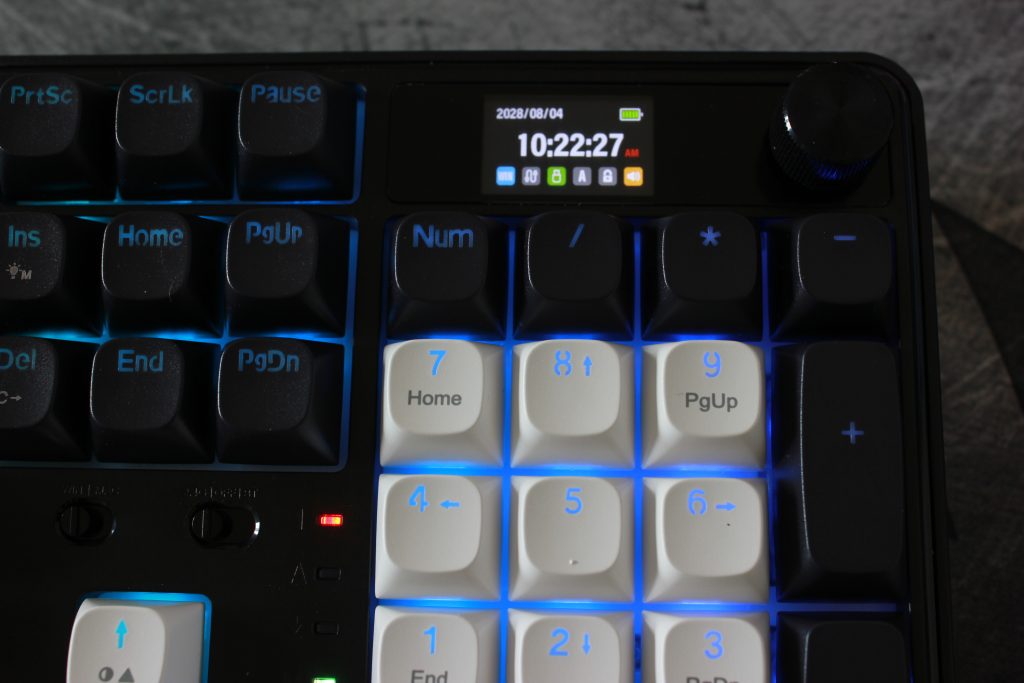
The Wyvern includes a built-in LCD display in the upper-right corner of the keyboard. You can customize it with different images and information, giving the keyboard a little extra personality beyond the RGB lighting.
For me, the LCD falls into the “nice bonus” category. It works well, looks nice on the desk, and it’s fun to customize, but I don’t think it’s the feature that should convince someone to buy this keyboard.
If you enjoy personalizing your setup, you’ll probably appreciate it more than I did. I customized it, thought it looked good, and then mostly forgot about it—which honestly isn’t a bad thing. (I realized later that I forgot to take off the protective plastic on the display. It looks much nicer actually.)
Keyboard Validation
I like to verify that a keyboard is performing correctly instead of relying only on first impressions.
Using KeyboardTester.click, I tested key registration, simultaneous key presses, switch chatter, and ghost clicks.
Everything worked exactly as expected. Every key registered correctly, multiple keys could be pressed simultaneously without issue, and I didn’t observe any chatter or ghost-click behavior during testing.
Redragon Wyvern K761
Guided input, rollover, and debounce results generated from the original Keyboard Pro JSON export.
Overall result
Most-used keys during the test
The bars show how many recorded press-and-release events were captured for the most frequently exercised keys.
Per-key hold timing
These values are the observed hold durations recorded by the guided input test. They describe how long each key was held during the test—not switch latency or actuation speed.
| Key | Count | Minimum (ms) | Average (ms) | Maximum (ms) |
|---|---|---|---|---|
| A | 10 | 226 | 1643.3 | 4015 |
| Shift | 9 | 622 | 1561.1 | 4053 |
| W | 9 | 113 | 1456 | 4009 |
| D | 8 | 568 | 1827.9 | 4039 |
| E | 6 | 599 | 1411.7 | 2382 |
| ⎵ | 6 | 632 | 1504 | 2720 |
| S | 4 | 1462 | 2513.8 | 4036 |
| 5 | 2 | 735 | 1024.5 | 1314 |
| Control | 2 | 791 | 1186.5 | 1582 |
| Q | 2 | 687 | 1521.5 | 2356 |
| 1 | 1 | 1289 | 1289 | 1289 |
| 2 | 1 | 1296 | 1296 | 1296 |
| 3 | 1 | 362 | 362 | 362 |
| 4 | 1 | 474 | 474 | 474 |
| ; | 1 | 1770 | 1770 | 1770 |
| Alt | 1 | 1576 | 1576 | 1576 |
| Backspace | 1 | 127 | 127 | 127 |
| Escape | 1 | 88 | 88 | 88 |
| F | 1 | 1792 | 1792 | 1792 |
| J | 1 | 1783 | 1783 | 1783 |
| K | 1 | 1778 | 1778 | 1778 |
| L | 1 | 1785 | 1785 | 1785 |
| NumpadEnter | 1 | 33 | 33 | 33 |
| R | 1 | 2367 | 2367 | 2367 |
| ↑Up | 1 | 729 | 729 | 729 |
| ↓Down | 1 | 735 | 735 | 735 |
Polling-rate coverage
No polling-rate samples were captured in this export. Polling-rate comparisons should therefore be presented using the separate wired and wireless captures rather than inferred from this file.
Polling Rate Testing
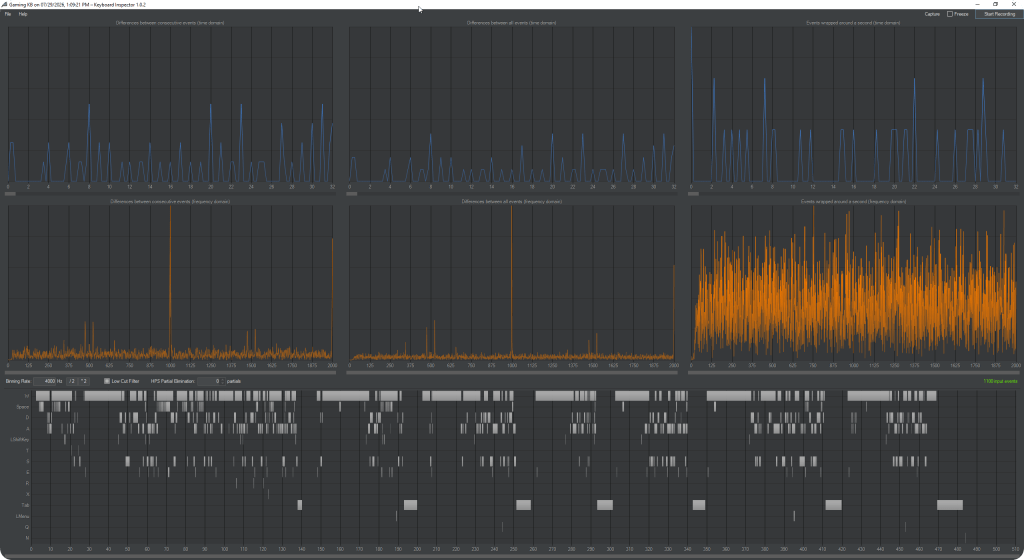
Polling performance was tested using Keyboard Inspector 1.0.2 while playing Overwatch 2.
USB – The keyboard reached a polling rate of approximately 1000 Hz.
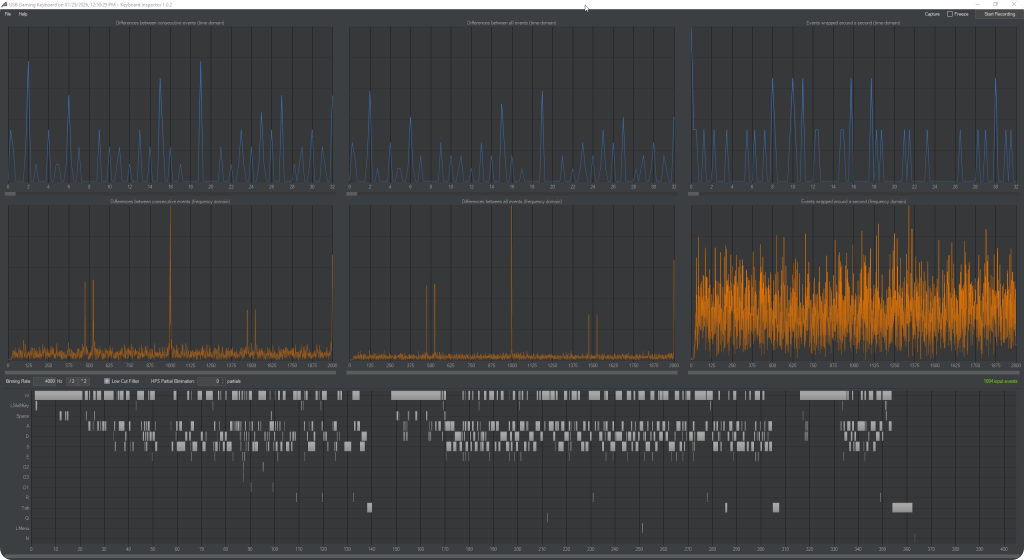
2.4 GHz Wireless: The keyboard also reached approximately 1000 Hz.
My Experience
During gameplay, I honestly couldn’t tell a meaningful difference between USB and wireless mode. Both connections felt responsive and stable, and I never noticed missed inputs or inconsistent behavior while playing.
Typing Test
I also spent some time typing using Monkeytype’s standard 30-second English test.
Results
- 68 WPM
- 97% Accuracy
- 77% Consistency
Typing tests say more about the typist than the keyboard, but I still like including them because they represent another real-world scenario.
More importantly, the keyboard remained consistent throughout the session. I didn’t experience accidental double presses, missed keys, or anything that interrupted my typing.
Gaming
Most of my testing was done while playing Overwatch 2 using both USB and 2.4 GHz wireless.
The keyboard simply stayed out of the way, which is exactly what I want from a gaming keyboard. Inputs felt responsive, movement was consistent, and I never experienced missed key presses or unexpected behavior.
Combined with the validation testing and polling results, I have no concerns recommending this keyboard for gaming.
What I Really Liked
The biggest thing for me is the full-size layout. I realize that’s a personal preference, but I still like having every key available without reaching for function combinations.
The switches and keycaps also deserve credit. Typing feels smooth and comfortable, and after several days of use I never found myself thinking about the keyboard—which usually means the keyboard is doing its job well.
Overall, the keyboard feels solid, stays planted on the desk, and performs exactly the way I’d expect from a quality mechanical keyboard.
A Few Things I’d Change
Nothing here was a deal breaker, but there are a few things I’d improve.
The volume knob on my review unit feels a little loose. It works perfectly fine, but it doesn’t feel quite as premium as the rest of the keyboard. The plastic construction is noticeable here.
The wireless USB receiver stores underneath the keyboard. I appreciate having dedicated storage, but I found it a little awkward to remove.
The white keycaps are another personal preference. I like how they look, but I actually found them a little harder to read with the RGB lighting than I expected.
Finally, while the keyboard feels solid overall, there is a little more flex in parts of the top case than I would have liked. Again, I only noticed this when intentionally pressing on it—it wasn’t something I experienced during normal typing or gaming.
Final Thoughts
After spending time with the Redragon Wyvern K761 LCD Pro, I’d have no problem recommending it.
It performed well during gaming, felt comfortable during long typing sessions, and passed every validation test I threw at it. The LCD screen is a fun extra, the full-size layout is exactly what I prefer, and overall build quality left me with a positive impression.
Would I change a few things? Sure. I’d like a more premium-feeling volume knob, easier access to the USB receiver, and a slightly more rigid top case.
None of those complaints were enough to change my overall opinion.
If you’re looking for a full-size wireless mechanical keyboard with an LCD display, I think the Wyvern K761 LCD Pro is worth considering.
Interested in the Redragon WYVERN K761 PRO?
Save 10% when you purchase directly from Redragon.
Affiliate link — I may earn a commission from qualifying purchases at no additional cost to you.


No Comments on "Redragon Wyvern K761 LCD Pro Review"