
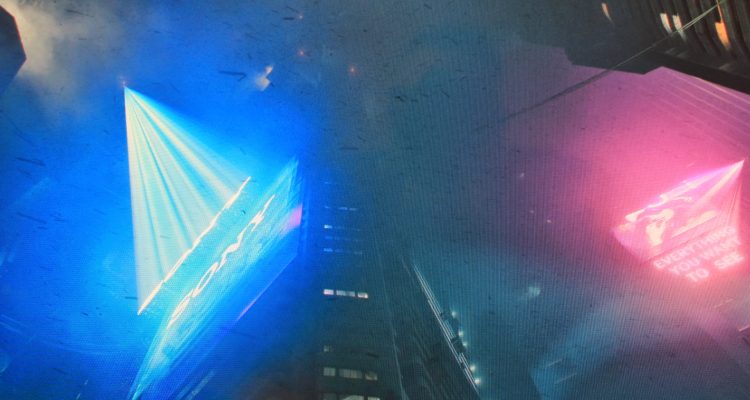
What Upgrading to OLED Actually Exposed in My System
This review was written from the perspective of a long-time IPS and VA user moving into OLED for the first time using real enthusiast hardware — not from the perspective of a reviewer running the latest flagship GPU in a perfectly optimized test bench.
Introduction — Why This Review Exists
Most OLED monitor reviews are written from the perspective of reviewers using the latest flagship GPUs in carefully optimized single-monitor setups. I wanted to approach the Redragon Starglitter GM272 OLED Gaming Monitor from a different angle:
What actually happens during an OLED gaming monitor upgrade when a long-time IPS or VA user moves to OLED for the first time using real enthusiast hardware?
That distinction is important because many of the limitations and tradeoffs discussed throughout this review were not limitations of the GM272 itself.
In fact, the monitor consistently proved capable of far more than my aging RX Vega 56 system could fully deliver.
The GM272 itself is capable of:
- 360 Hz operation
- HDR support
- ultra-high refresh gaming
- HDMI 2.1 connectivity
- DisplayPort 1.4
- 0.03 ms GTG response time
- AMD FreeSync Premium
- 99% DCI-P3 color coverage
- HDR peak brightness up to 1000 nits
- QHD 2560×1440 resolution
However, one of the most interesting discoveries during testing was realizing how quickly a modern OLED display can expose weaknesses elsewhere in an older enthusiast setup.
In many ways, this review became less about whether the monitor itself was capable — because it clearly was — and more about what happens when modern OLED technology collides with:
- older GPUs
- Linux HDR pipelines
- multi-monitor setups
- real-world desktop use
- aging enthusiast hardware
That ultimately became the true story of this review.
Product Specifications
Monitor Tested
Redragon STARGLITTER GM272 27″ OLED Flat Gaming Monitor
Key Specifications
- 27-inch flat OLED panel
- 2560×1440 QHD resolution
- 360 Hz refresh rate
- 0.03 ms GTG response time
- HDR peak brightness up to 1000 nits
- AMD FreeSync Premium
- 99% DCI-P3 color coverage
- DisplayPort 1.4 x3
- HDMI 2.1 x2
- USB hub
- 3.5 mm audio output
- 75×75 VESA mounting
- Flicker-free support
- Low blue light mode
Interested in the STARGLITTER GM272 27″ OLED Flat Gaming Monitor?
Save 10% when you purchase directly from Redragon.
Affiliate link — I may earn a commission from qualifying purchases at no additional cost to you.
Test System
Primary Test System
- GPU: AMD RX Vega 56
- OLED Monitor: Redragon Starglitter GM272
- Secondary Monitor: 1920×1080 @ 165 Hz VA panel
- Connection Type: DisplayPort 1.4
Operating Systems Tested
- Windows 11
- Nobara Linux
- Hyprland Wayland
- KDE Plasma Wayland
First Impressions — OLED Changes More Than Color
The first thing that stood out was not color.
It was motion.
Coming from older IPS and VA displays, the OLED immediately looked different during movement. Fast motion appeared cleaner, darker scenes finally looked truly black instead of gray haze, and high contrast scenes suddenly had depth that traditional LCD panels struggled to reproduce.
But the transition to OLED also exposed something unexpected:
Weaknesses elsewhere in my system.
That became one of the most interesting parts of this review.
The Hidden Cost of Ultra-High Refresh OLED
My test system used an RX Vega 56 paired with a secondary 1080p 165 Hz display. Initially, I assumed the GM272 simply could not maintain higher refresh rates reliably because Windows repeatedly reverted the display back to 144 Hz after applying certain settings.
Further testing revealed something far more interesting.
When the OLED monitor was isolated as the only active display, 2560×1440 at 240 Hz worked correctly almost immediately. The monitor, cable, and GPU were all technically capable of achieving the higher refresh rates.
The real issue turned out to be bandwidth and display configuration complexity.
With HDR enabled and a second high-refresh display attached, the Vega 56 would consistently fall back to 144 Hz. Disabling HDR immediately allowed higher refresh operation again, even with the second monitor connected.
This revealed an important reality about modern OLED gaming displays:
The monitor itself may no longer be the bottleneck.
Instead, limitations may appear elsewhere:
- GPU display pipeline bandwidth
- HDR bandwidth overhead
- older DisplayPort implementations
- multi-monitor timing negotiation
- operating system display handling
- driver behavior
This review ultimately became less about whether the GM272 was capable — because it clearly was — and more about how modern OLED displays are beginning to expose weaknesses in older enthusiast systems that traditional LCD panels may have hidden for years.
Importantly, I do not consider this a flaw of the monitor itself.
In many ways, the GM272 simply revealed where the rest of my system had begun showing its age.
HDR vs Refresh Rate — An Unexpected Tradeoff
One of the most interesting discoveries during testing was realizing that HDR and ultra-high refresh rates are not always equally practical on older hardware.
Running:
- 1440p
- high refresh rates
- HDR
- alongside a second 165 Hz monitor
proved difficult for the Vega 56.
This created an unexpected real-world question:
Which matters more — HDR or ultra-high refresh gaming?
Surprisingly, the answer depended heavily on the type of content.
For competitive shooters, ultra-high refresh motion clarity felt incredible.
But for cinematic games and movies, HDR completely transformed the monitor.
Dark scenes suddenly gained depth. Highlights became dramatically more lifelike. Near-black gradients cleaned up substantially, and bright neon scenes finally gained the kind of dimensionality OLED is known for.
One of the biggest surprises of the entire review was realizing this:
HDR mattered more than I expected.
After extensive testing, I often found myself preferring:
- HDR-enabled gaming and media
over:
- maximum refresh rate SDR operation
for movies, desktop use, and many games.
This ultimately revealed something important about the GM272:
The monitor itself is capable of delivering both an ultra-high refresh competitive experience and a cinematic HDR experience — but older hardware may force users to choose between them more often than newer systems would.


VA Monitor -Click to Enlarge
“Scenes like this demonstrated how dramatically HDR transformed the OLED presentation. Shadow depth, tonal separation, and atmospheric contrast all became noticeably more lifelike compared to SDR.”
Motion Clarity — The First Real “Wow” Moment
The first major surprise came during UFO ghosting tests.
Initially, I expected the difference between 144 Hz and higher refresh rates to be fairly subtle. Instead, motion immediately appeared blurrier and less stable when switching back down after spending time at higher refresh rates on the OLED panel.
The biggest surprise was not smoothness.
It was comfort.
At higher refresh rates, motion tracking felt cleaner and easier on the eyes during prolonged UFO testing. Returning to lower refresh rates made movement feel noticeably less sharp and introduced a subtle sense of visual strain during fast motion.
This highlighted something I had not fully appreciated before testing:
OLED motion clarity is not just about competitive gaming performance.
It fundamentally changes how comfortable motion appears during prolonged use.
Importantly, this was not simply refresh rate alone. OLED response times combined with high refresh rates create a level of motion clarity that older IPS and especially VA panels struggle to reproduce.
The most dramatic moment came when moving the same UFO motion test back to my older VA display.
After adapting to the OLED, the VA panel suddenly became genuinely uncomfortable to watch. Motion appeared smeared and unstable enough that prolonged viewing quickly caused noticeable eye strain.
That was the moment the upgrade stopped feeling like a specification improvement and started feeling like a fundamentally different viewing experience.
UFO Testing
Motion testing was performed using the Blur Busters UFO tests:
Real Gameplay Testing — Overwatch 2
Synthetic tests are useful, but the more important question is whether those motion clarity improvements actually translate into real gameplay.
Testing in Overwatch 2 quickly revealed that the OLED panel was not simply “smoother.” The entire image felt cleaner and more visually stable during fast gameplay.
Initially, the first match felt slightly unusual — almost as if my eyes and brain were adjusting to the pace and clarity of the display. However, after several matches, that feeling disappeared entirely and gameplay began to feel natural.
One interesting realization gradually emerged during testing:
I stopped consciously analyzing the monitor and simply started playing.
That may sound minor, but it became one of the most important observations of the review.
Poor motion handling constantly reminds you that you are looking at a screen.
The OLED largely disappeared as a distraction.
The image simply looked cleaner, prettier, and easier to process during fast gameplay.
Real Gameplay Testing — EVE Online
EVE Online turned out to be one of the most visually impressive experiences on the OLED panel.
Space environments immediately benefited from OLED’s ability to produce true blacks and dramatically improved contrast separation. Stations, ship lighting, nebula backgrounds, and illuminated structures all gained a level of depth that was difficult to fully appreciate on traditional LCD panels.
One of the most noticeable differences was how much easier it became to visually separate ships, UI elements, and environmental lighting during darker scenes. Areas that previously appeared slightly washed out or gray on older displays suddenly looked far more dimensional and atmospheric on the OLED panel.
The improvement was not simply about brighter colors. Instead, the image gained a stronger sense of depth and realism, particularly during station scenes and darker space environments where OLED contrast performance had the largest impact.
EVE Online ultimately became one of the clearest demonstrations of why OLED image quality matters even outside competitive gaming.
Real Gameplay Testing — Fortnite
Fortnite highlighted a different side of the GM272.
Where cinematic games and EVE Online emphasized OLED contrast and depth, Fortnite immediately showcased the monitor’s motion clarity and responsiveness during rapid movement.
Fast turns, building, traversal, and combat all appeared exceptionally clean at high refresh rates. The OLED response times helped reduce the blur and instability commonly seen on older LCD panels during quick camera movement.
At the same time, Fortnite’s colorful environments benefited heavily from HDR presentation. Bright outdoor scenes, lighting effects, and vibrant environmental colors gained noticeably more visual impact without appearing exaggerated or artificially oversaturated.
The combination of high refresh responsiveness and OLED image quality created a presentation that felt both competitive and visually immersive at the same time.
Linux Testing — OLED Reality Under Wayland
Testing under Linux introduced an entirely different set of observations.
The GM272 was tested under Nobara Linux using both Hyprland Wayland and KDE Plasma Wayland using the same RX Vega 56 hardware used during Windows testing.
Immediately, one important difference became clear:
Linux only exposed refresh rates up to 144 Hz during testing.
Even though Windows successfully achieved higher refresh rates under the right conditions, the Linux graphics stack never exposed the higher refresh modes at all.
Under Hyprland:
- 2560×1440 @ 144 Hz
- SDR pipeline
- no active HDR output
However, KDE Plasma Wayland dramatically improved the experience.
KDE successfully enabled:
- functional HDR support
- noticeably improved image quality
- far more cinematic OLED presentation
Dark scenes improved substantially. Highlights became dramatically more vibrant, and the monitor finally began behaving much more like it did under Windows HDR.
Interestingly, KDE HDR looked surprisingly close to Windows overall — but not identical. Near-black gradients and tonal handling still appeared slightly more polished under Windows.
At the same time, the Linux HDR experience was dramatically more impressive than expected.
Compared to only a few years ago, the fact that functional HDR OLED gaming was even possible under KDE Plasma Wayland represented major progress for Linux desktop gaming.
In many ways, Linux HDR now feels less “broken” and more simply:
not fully mature yet.
Importantly, none of this made the GM272 look bad under Linux.
OLED strengths like:
- true blacks
- motion clarity
- sharp UI contrast
- excellent dark-mode presentation
were still immediately obvious.
But this testing reinforced an important conclusion:
Modern OLED gaming monitors are now advancing faster than parts of the Linux graphics ecosystem itself.
OLED vs VA — What The Camera Revealed
Photographing monitors turned out to be far more difficult than expected.
Attempting pursuit-camera style UFO captures quickly became a lesson in:
- rolling shutter artifacts
- subpixel interaction
- refresh synchronization
- moire patterns
Ironically, many of the video captures looked dramatically worse than what my eyes were actually seeing in person.
However, cinematic HDR photography proved far more useful.
When photographing identical HDR scenes side-by-side on both displays, several differences consistently appeared.
OLED
- deeper blacks
- stronger contrast depth
- cleaner shadow separation
- brighter perceived highlights
- less haze
- more dimensional presentation
VA
- more lifted blacks
- flatter shadows
- more visible haze in dark scenes
- less separation between highlights and shadows
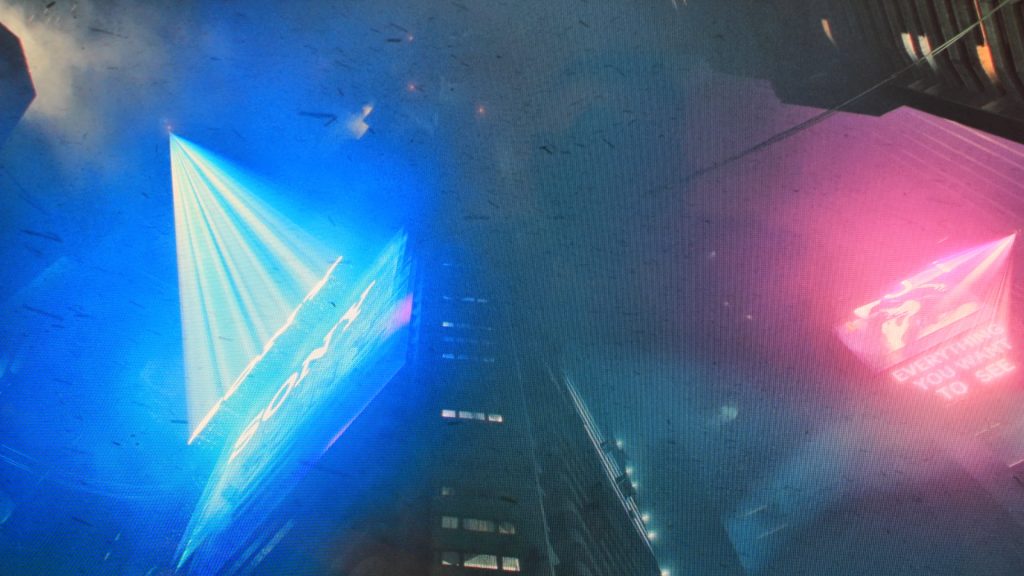
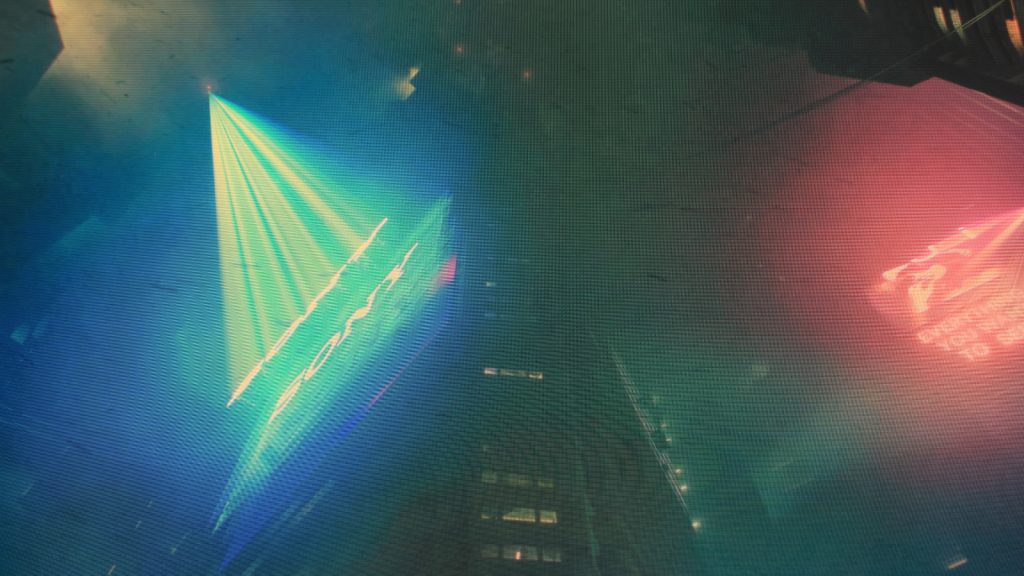
“The OLED panel consistently produced deeper blacks, cleaner atmospheric separation, and less haze in dark HDR scenes compared to the older VA display.”
One of the most important realizations during testing was this:
OLED improvements are often subtle in still images.
The experience is less about exaggerated oversaturation and more about:
- depth
- realism
- dimensionality
- immersion
- atmospheric contrast
That subtlety actually became one of the most impressive things about the display.
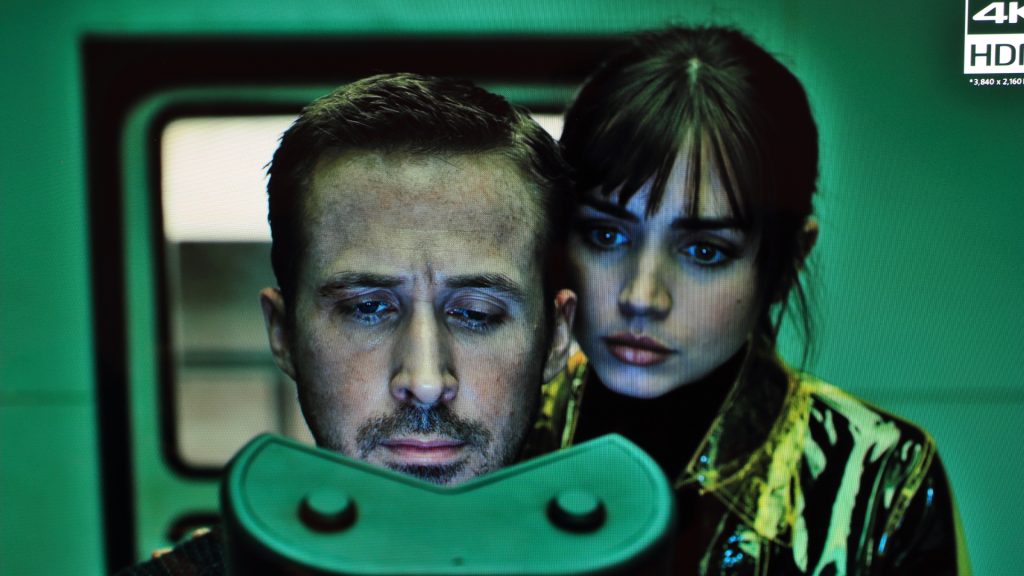
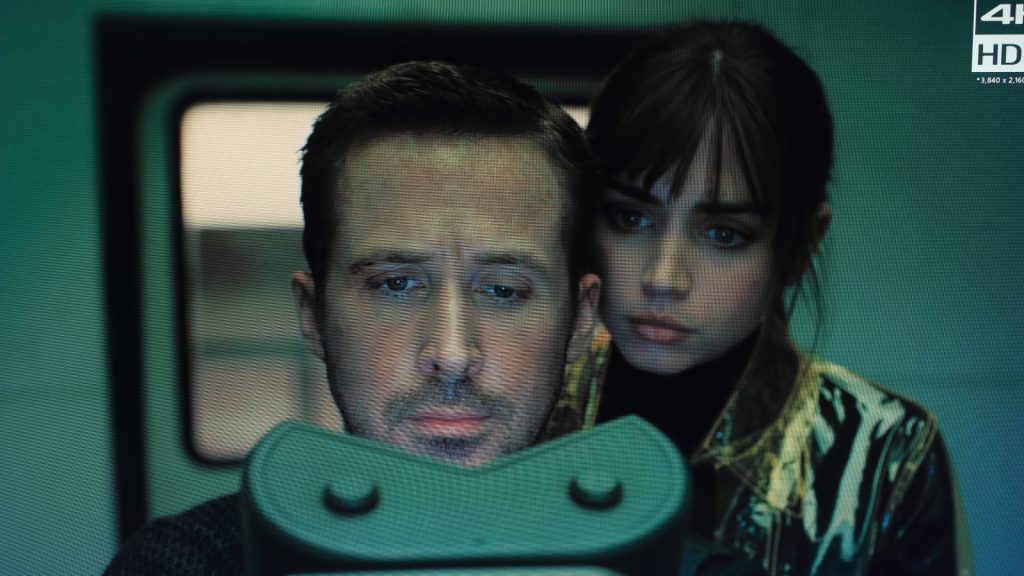
“OLED improvements often appeared less like exaggerated color and more like improved depth, separation, and realism.”


“The OLED panel consistently produced excellent perceived depth and microcontrast without appearing artificially oversaturated.”
Desktop Use & Text Clarity
One area that deserves honest discussion is desktop usability.
While the GM272 absolutely excelled in gaming and cinematic content, desktop productivity felt more mixed during testing.
Using applications like VS Code quickly highlighted the reality of pairing a 27-inch display with a 2560×1440 resolution. Smaller text required sitting closer to the display than I would personally prefer for long-term productivity work.
As someone who has been near-sighted most of my life and now relies on bifocal lenses, I found myself naturally moving some productivity tasks back to my older 1080p display simply because larger text was easier to process comfortably at normal sitting distances.
That does not mean the OLED performed poorly for desktop work.
Dark mode applications looked fantastic, text remained generally clean, and contrast was excellent.
However, for my personal use case, the monitor clearly felt more at home in:
- gaming
- movies
- cinematic content
than extended spreadsheet or coding sessions using smaller fonts.
An interesting discovery emerged during testing:
Running the monitor at 1080p HDR 144 Hz created a surprisingly comfortable desktop mode.
For users with aging eyesight or a preference for larger interface elements, this became a genuinely useful compromise configuration.
Who This Monitor Is Really For
The GM272 feels especially well suited for:
- users moving into OLED for the first time
- competitive gamers wanting exceptional motion clarity
- cinematic gamers prioritizing HDR immersion
- Linux enthusiasts interested in the current state of HDR gaming
- users who value image quality and contrast over raw brightness alone
At the same time, users should realistically understand:
- modern OLED monitors may expose GPU limitations
- HDR support still varies heavily under Linux
- multi-monitor setups can complicate high refresh operation
- desktop readability at 1440p may depend heavily on eyesight and viewing distance
None of those are unique flaws of the GM272 itself.
Rather, they are increasingly part of the modern high-end PC gaming ecosystem.
Final Thoughts
The biggest surprise of this upgrade was not how much better OLED looked.
It was how much worse older displays suddenly felt afterward.
Once your eyes adapt to:
- instant pixel response
- clean motion
- true blacks
- HDR depth
- near-perfect contrast
it becomes surprisingly difficult to return to traditional LCD panels.
At the same time, the GM272 exposed every weakness around it:
- GPU limitations
- Linux HDR maturity
- display bandwidth constraints
- desktop ergonomics
- content quality itself
And strangely enough, that may actually be one of the most valuable things about it.
This monitor did not simply upgrade my games.
It changed how I evaluate displays entirely.
If you’re interested in more hardware reviews on Not Posted, you can also check out:
Magnetic Switches vs Mechanical Switches: Understanding the Differences – NotPosted
Redragon K587 TKL Keyboard – NotPosted
Redragon M916 PRO 4K Hz lightweight gaming mouse review – NotPosted
You can find more tech articles and reviews at:
https://notposted.com
Interested in the STARGLITTER GM272 27″ OLED Flat Gaming Monitor?
Save 10% when you purchase directly from Redragon.
Affiliate link — I may earn a commission from qualifying purchases at no additional cost to you.


No Comments on "Redragon Starglitter GM272 OLED Review"