
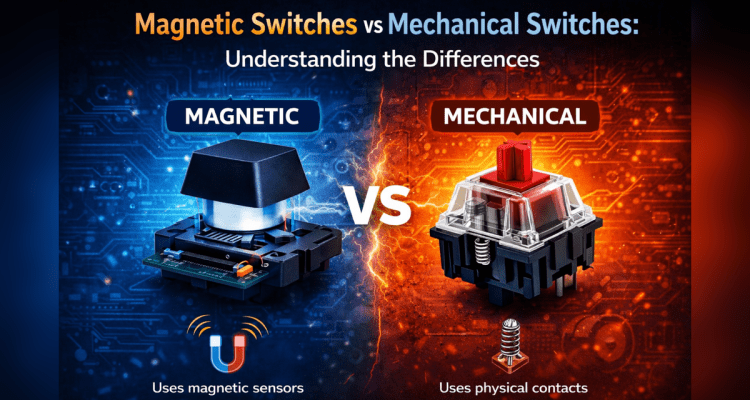
Mechanical keyboards have long been the standard for gamers, programmers, and enthusiasts who want a responsive and durable typing experience. However, when comparing magnetic vs mechanical keyboard switches, a new contender has started gaining serious attention in recent years: magnetic Hall Effect keyboards.
At a glance the two keyboard types look identical. The difference lies inside the switches themselves. Mechanical keyboards rely on physical electrical contacts to detect keystrokes, while magnetic keyboards use sensors and magnets to measure key movement.
Understanding how these technologies work can help you decide which keyboard type makes the most sense for your setup.
This guide breaks down how mechanical switches and magnetic switches differ, how they feel in everyday use, and where each technology shines.
For additional background on magnetic keyboards, Redragon provides a useful overview here:
https://redragonshop.com/blogs/community/the-ultimate-guide-to-magnetic-switch-keyboards
What Are Mechanical Keyboard Switches?
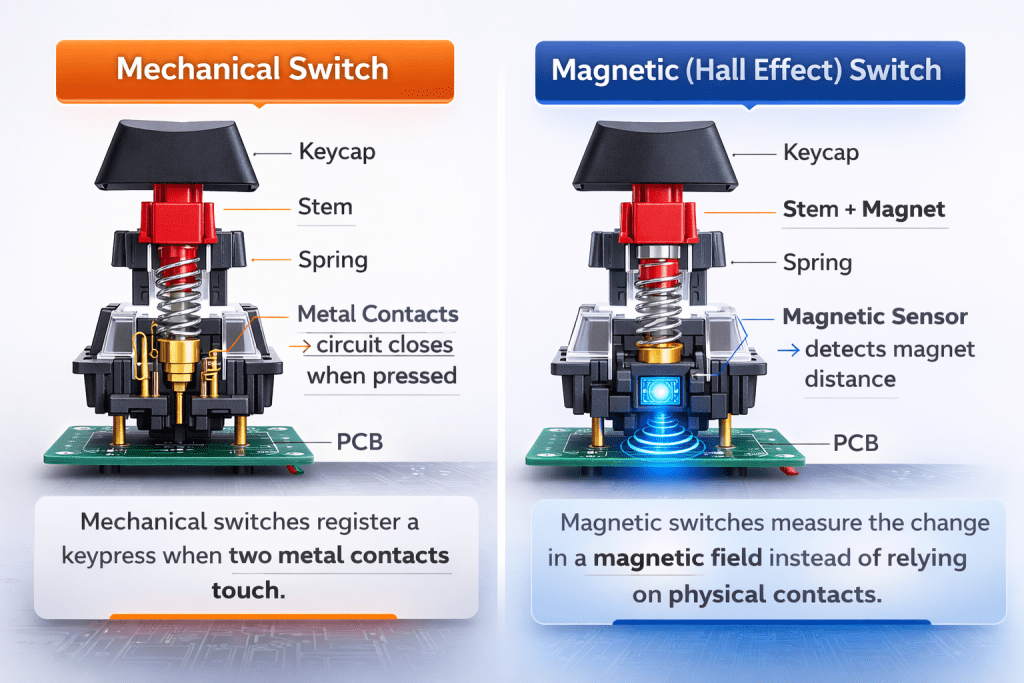
Mechanical keyboards use individual switches under each key. Each switch contains a spring-loaded mechanism that physically closes an electrical circuit when pressed.
Inside a typical mechanical switch you’ll find:
- A plastic housing
- A spring providing resistance
- A stem that moves when pressed
- Metal contacts that complete the circuit
When the key is pressed far enough, the metal contacts touch and the keyboard registers the input.
Mechanical switches are popular because they provide:
- Consistent feedback
- Reliable performance
- Long lifespan (often 50–100 million keystrokes)
- A variety of switch types
Common mechanical switch styles include:
| Switch Type | Feel | Sound |
|---|---|---|
| Linear | Smooth keypress | Quiet |
| Tactile | Noticeable bump | Moderate |
| Clicky | Strong tactile bump | Loud |
Because of this variety, mechanical keyboards remain widely used for both gaming and typing.
More details on mechanical switch types can also be found here:
https://redragonshop.com/blogs/community/keyboard-breakdown-the-3-types-of-mechanical-switches
What Are Magnetic (Hall Effect) Switches?
Magnetic switches, often called Hall Effect switches, detect keystrokes using sensors instead of physical electrical contacts.
Each key contains a small magnet. When the key is pressed, the magnet moves closer to a sensor on the keyboard’s circuit board. The sensor measures the change in magnetic field strength and determines exactly how far the key has traveled.
Because of this design, magnetic switches allow features that traditional switches cannot easily replicate, including:
- Adjustable actuation points
- Rapid Trigger functionality
- Analog input detection
- Extremely long switch lifespan
These capabilities have made magnetic keyboards increasingly popular among competitive gamers and enthusiasts.
How Do Magnetic vs Mechanical Switches Actually Work Inside?
Although both switch types appear similar externally, their internal operation is very different.
| Feature | Mechanical Switch | Magnetic Switch |
|---|---|---|
| Detection method | Metal contact closure | Magnetic field sensor |
| Actuation point | Fixed | Adjustable |
| Reset behavior | Fixed reset point | Dynamic reset |
| Lifespan | High | Often higher |
| Customization | Limited | Extensive |
Mechanical switches act like a traditional electrical button.
Magnetic switches behave more like a sensor measuring key travel distance.
Magnetic vs Mechanical: The Core Differences That Matter
The most significant difference between these technologies is control over actuation and reset behavior.
Mechanical switches activate at a fixed distance designed by the manufacturer.
Magnetic switches allow software to adjust the actuation distance and key reset behavior dynamically.
This makes it possible to:
- Trigger keys earlier
- Reset keys faster
- Customize different keys differently
| Feature | Mechanical Switch | Magnetic (Hall Effect) Switch |
|---|---|---|
| Detection method | Metal contacts touching | Magnetic field sensor |
| Actuation point | Fixed | Adjustable |
| Rapid Trigger | No | Yes |
| Analog input | No | Possible |
| Lifespan | 50–100M presses | Often 100M+ |
| Customization | Limited | Extensive |
This flexibility is one of the main reasons magnetic keyboards are becoming more popular.
Why Choose a Magnetic Keyboard?
Magnetic keyboards appeal to users who want deeper customization and performance tuning.
Because actuation points can be adjusted, users can tailor the keyboard to their exact preferences.
Example gaming setup for magnetic switches:
| Key | Actuation Distance | Reason |
|---|---|---|
| W A S D | 0.3–0.5 mm | Faster movement |
| Space | 1.0 mm | Prevent accidental jumps |
| Shift | 1.2 mm | Sprint control |
| Number keys | 2.0 mm | Reduce misclicks |
With keyboards like the Redragon K617 FIZZ Magnetic Hall Effect Keyboard, these actuation distances can be configured through the Redragon software once installed.
For example:
- Extremely short actuation for competitive gaming
- Deeper actuation for typing accuracy
- Rapid Trigger for faster repeated inputs
This level of control allows magnetic keyboards to adapt to multiple use cases.
Why Choose a Mechanical Keyboard?
Despite the advantages of magnetic switches, mechanical keyboards remain extremely popular.
Reasons include:
- Lower cost
- Wide switch variety
- Familiar typing feel
- Simpler setup
For many users, a high-quality mechanical keyboard still provides everything they need.
How Do Magnetic and Mechanical Switches Feel and Sound?
Typing feel varies depending on the switch design.
Mechanical switches often provide distinct tactile feedback and sound, especially tactile or clicky variants.
Magnetic switches typically feel smoother since they do not rely on metal contacts for actuation.
Some users prefer the classic feel of mechanical switches, while others enjoy the smooth response of magnetic keyboards.
Which Switch Type Is Better for Gaming Performance?
Magnetic switches introduce several features that can benefit gaming performance.
One of the most notable is Rapid Trigger, which allows keys to reset immediately once the key begins to move upward.
This allows faster repeated inputs compared to traditional switches.
For competitive games that rely on precise movement and quick reactions, this can be a noticeable advantage.
Who Should Choose Magnetic vs Mechanical? (Use-Case Guide)
Choose a magnetic keyboard if you:
- Play competitive games
- Want adjustable actuation
- Enjoy customizing hardware
Choose a mechanical keyboard if you:
- Prefer simplicity
- Want a wide variety of switch options
- Are focused primarily on typing comfort
What Should You Check Before Buying a Magnetic or Mechanical Keyboard?
Before buying a keyboard, consider these factors:
Switch technology
Mechanical or magnetic
Keyboard layout
Full size, tenkeyless, or compact
Build quality
Software support
Customization features
Choosing the right keyboard often depends on your budget and intended use.
Redragon Magnetic Keyboards
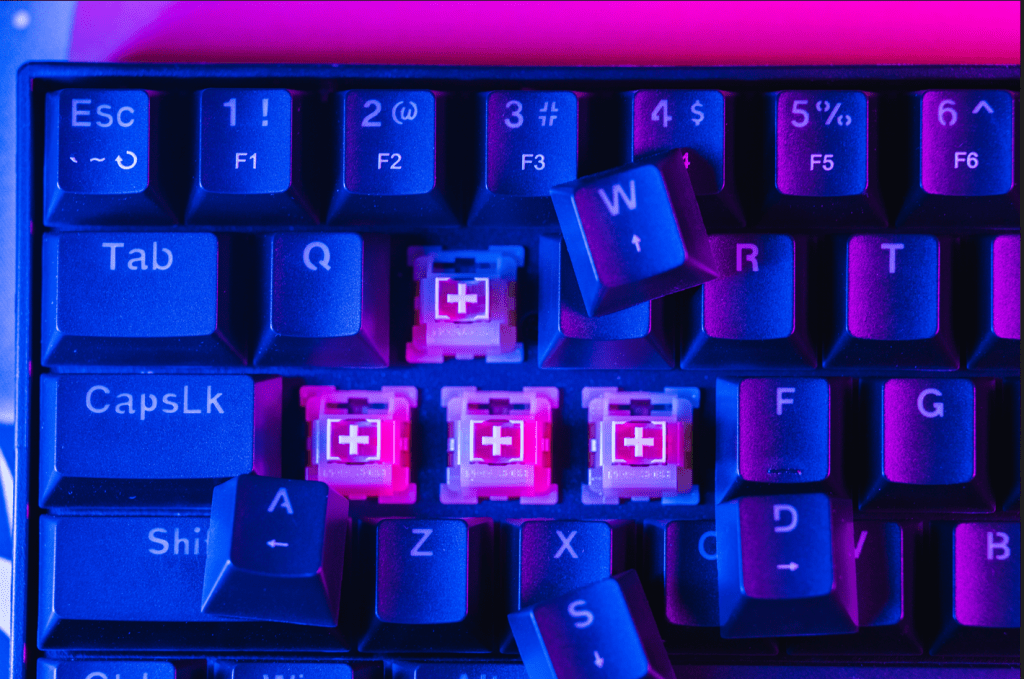
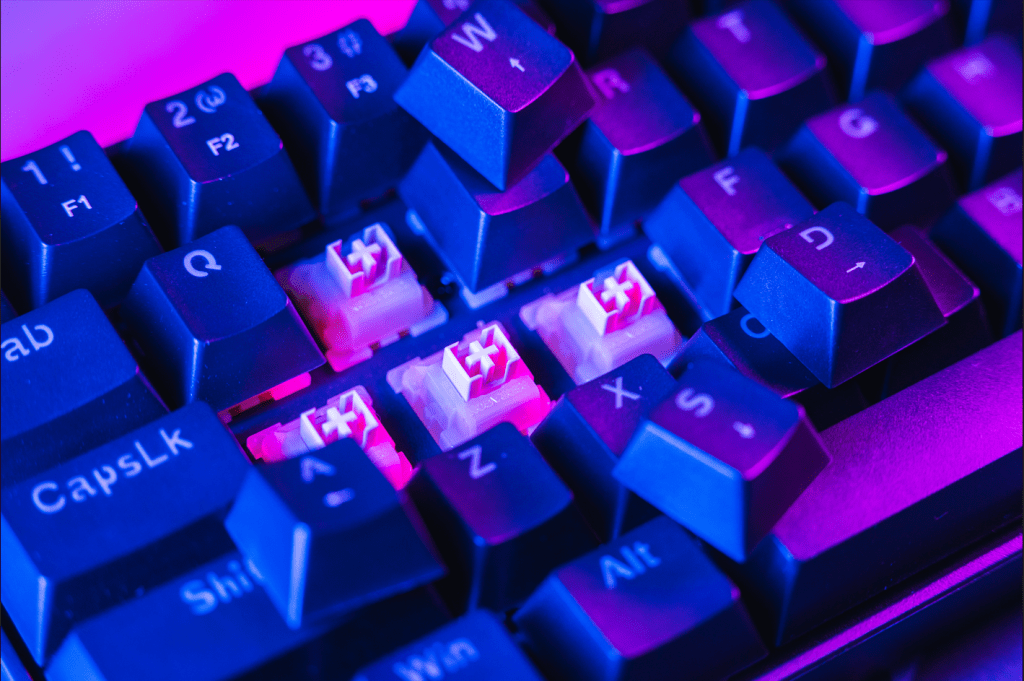
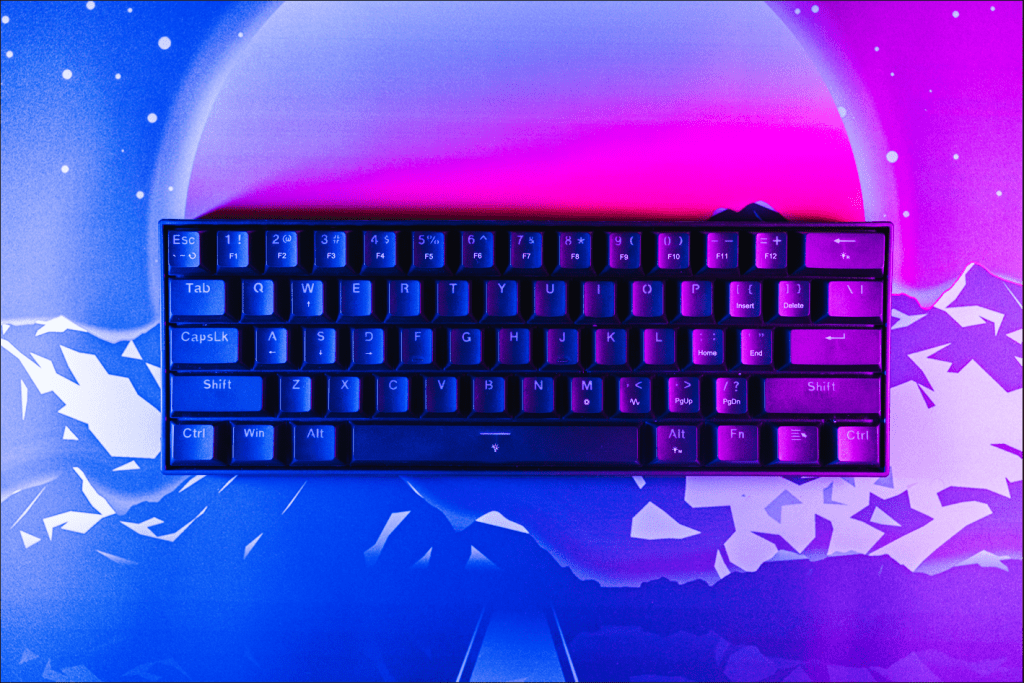
To see how magnetic switches perform in practice, I spent time using the Redragon K617 FIZZ Magnetic Hall Effect Keyboard.
In a world inundated with an overabundance of magnetic Hall Effect keyboards, it’s becoming increasingly difficult for any single board to stand out. With so many options flooding the market, I usually break things down by use case, budget tier, and overall “bang for buck.”
The Redragon FIZZ K617 Magnetic Hall Effect keyboard manages to hit a sweet spot across all three, delivering an impressive feature set at a price point that’s hard to argue with.
Typing & Build Quality
Straight out of the box, the typing experience is shockingly good for a lightweight plastic chassis. There’s no spring ping, no scratchiness, and no hollow reverb that you often get in this price category.
The switches feel smooth and consistent, and the stabilizers—while not enthusiast-grade—are far better than expected without any mods.
After a month of daily typing and gaming, the board has remained solid, reliable, and problem-free.
Performance & Features
This is where the K617 really flexes.
Magnetic Hall Effect switches give you adjustable actuation, Rapid Trigger, and all the nuanced tuning options that gamers love. Once you get the software set up, you can dial in everything from ultra-light hair-trigger actuation for FPS titles to deeper, more deliberate keystrokes for typing.
The board responds quickly, feels snappy, and holds its own against competitors that cost significantly more.
Software Experience
The only real hiccup is finding the correct software on Redragon’s website. Their download section isn’t the most intuitive, and there are multiple versions floating around.
But once you land on the right one, the configuration suite is surprisingly robust. Actuation distance, Rapid Trigger sensitivity, lighting, macros—it’s all there and easy to adjust. After initial setup, it becomes a “set it and forget it” situation.
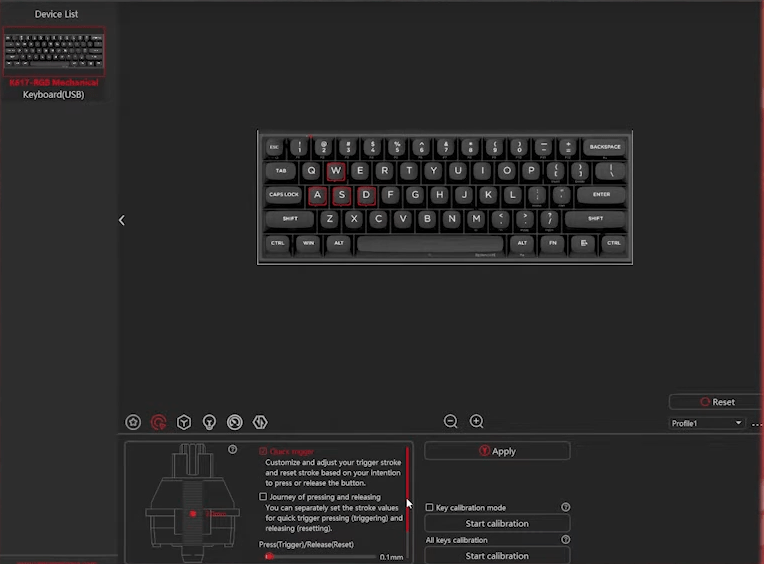
This is the rapid trigger section. You can adjust one or multiple keys at a time to set a specific actuation from 0.1 mm to 4.0 mm by moving the red dot up or down to adjust, as well as check the rapid trigger off or on.
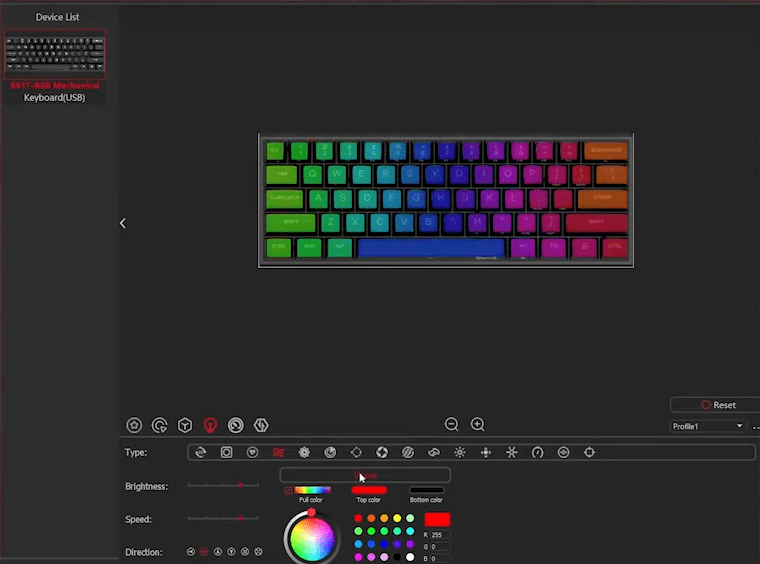
There is a pretty extensive lighting section in the software for lighting effects on the keyboard.
There are also sections for Senior Keys, Performance and macros.
Conclusion
Magnetic and mechanical keyboard switches each have their advantages.
Mechanical switches remain reliable, familiar, and widely available. Magnetic switches introduce new levels of customization and performance tuning.
The Redragon K617 FIZZ demonstrates how Hall Effect technology is becoming more accessible, offering advanced features at a price point that makes sense for many users.
For the price, it stands out as a strong entry point into the magnetic keyboard ecosystem.
If you’re interested in more Redragon hardware reviews on Not Posted, you can also check out:
https://notposted.com/redragon-k587-tkl-keyboard/
https://notposted.com/redragon-m916-pro-4k-hz-lightweight-gaming-mouse/
You can find more tech articles and reviews at:
https://notposted.com
FAQ
Are magnetic or mechanical switches better?
Neither is universally better. Mechanical switches are simple and reliable, while magnetic switches provide advanced customization features.
What are the disadvantages of magnetic switches?
Magnetic keyboards can be more expensive and may require software configuration to unlock their full capabilities.
What are magnetic switches used for?
They are commonly used in gaming keyboards where adjustable actuation and fast response times are beneficial.
Is a magnetic switch worth it?
For gamers who want precise control over keyboard behavior, magnetic switches can provide noticeable advantages.
What is another name for a magnetic switch?
Magnetic switches are commonly called Hall Effect switches.
What is the lifespan of a magnetic switch?
Many magnetic switches are rated for 100 million keystrokes or more.
Are magnetic switches reliable?
Yes. Because they rely on sensors instead of physical electrical contacts, they can be extremely durable.
Are magnetic switches actually “faster” than mechanical switches in real games?
They can allow faster repeated inputs due to Rapid Trigger functionality, though real-world benefits depend on the game and player skill.
Do I need to bottom out magnetic switches for them to register?
No. Because actuation distance is adjustable, keys can register long before reaching the bottom of the switch travel.
Are magnetic switches only for gaming?
No. Many users enjoy them for typing as well because of the smooth key travel and adjustable actuation.
Can I mix magnetic and mechanical switches on the same keyboard?
Typically no. Keyboards are designed specifically for one switch technology.
Will magnetic keyboards replace mechanical keyboards?
Probably not completely. Both technologies will likely continue to coexist.
Is a Hall Effect keyboard worth it if I already own a good mechanical board?
It depends on whether the additional customization features appeal to you. Many users upgrade for Rapid Trigger and adjustable actuation.


No Comments on "Magnetic Switches vs Mechanical Switches: Understanding the Differences"